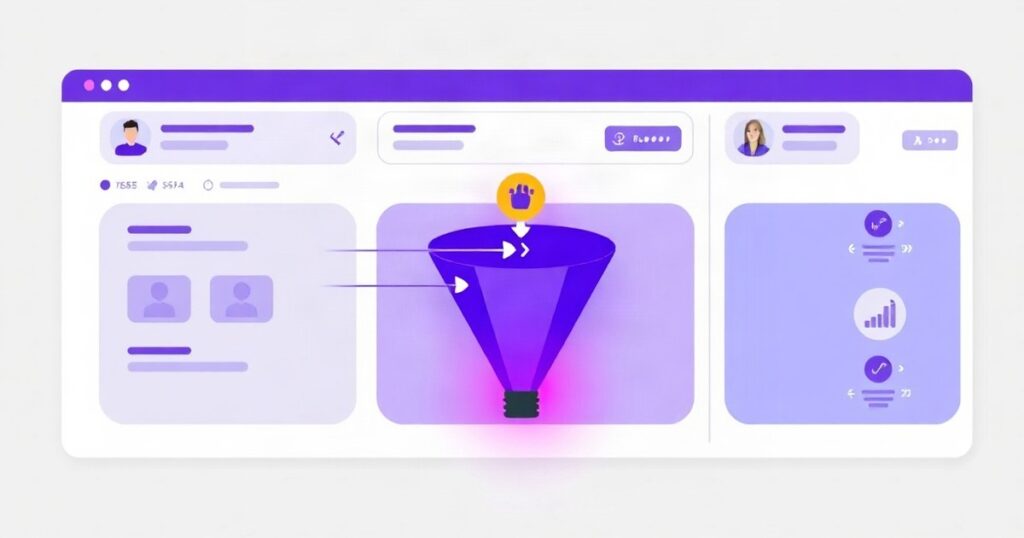
Most CRMs are full of contacts that nobody has touched in months. They arrived, got a welcome email, and then sat there — indistinguishable from a prospect who attended three webinars and downloaded a pricing guide last week. That’s a segmentation problem, and it costs sales teams real time every day.
AI-assisted lead scoring fixes this by continuously watching what contacts actually do — and tagging them accordingly, without anyone having to review each record manually.
What Behavioural Lead Scoring Actually Tracks
The logic is straightforward: assign point values to actions, accumulate them per contact, and trigger tags or pipeline moves when thresholds are crossed. Where AI adds value is in weighting those actions dynamically based on what has historically led to conversion in your specific audience — not just a generic scoring template.
Typical behavioural signals that feed into the model:
- Email engagement — opened, clicked, forwarded, or unsubscribed
- Web behaviour — visited pricing page, returned within 48 hours, spent more than three minutes on a case study
- Event participation — registered for a webinar, actually attended, stayed past the midpoint
- Content consumption — downloaded a guide, watched a product demo video past 75%
- Purchase or trial signals — started a free trial, added to cart, requested a quote
- Inactivity — no engagement in 30 or 60 days, which should downgrade the score
Each of these carries a different weight. Visiting the homepage once might be worth 2 points. Visiting the pricing page twice in one week might be worth 25. Attending a live product demo might push someone across the „sales-ready” threshold entirely.
Setting Up the Tag Structure
Before any automation can run, you need a clear tag taxonomy. Without it, you end up with hundreds of overlapping tags that nobody maintains. A practical structure uses three layers:
1. Stage Tags
These reflect where the contact is in the funnel — stage: aware, stage: considering, stage: decision. These are mutually exclusive and update as the score changes.
2. Behaviour Tags
These record specific actions taken — attended: webinar-march, downloaded: pricing-guide, visited: pricing-page-3x. They accumulate over time and feed the scoring model.
3. Sales-Readiness Tags
A single tag like sql: yes (Sales Qualified Lead) that triggers the handover workflow. This tag should only be applied when the score crosses a defined threshold — not manually, and not based on gut feel.
Where AI Fits Into the Scoring Model
Rule-based scoring (if X then +10 points) works, but it’s static. AI-assisted scoring adds two meaningful improvements:
- Dynamic weight adjustment: The model analyses closed-won deals and works backwards to identify which behaviours were most predictive of conversion. A behaviour that seemed minor — like reading a specific blog post — might turn out to be a strong signal for a particular segment.
- Fit scoring combined with behaviour: AI can layer in firmographic data (company size, industry, role) and match it against your ideal customer profile, then blend that with behavioural data. A contact with perfect firmographic fit who visited the pricing page once scores higher than a poor-fit contact who attended five webinars.
Tools like HubSpot’s predictive lead scoring, Salesforce Einstein, or dedicated platforms like MadKudu and Breadcrumbs.io do this natively. If you’re working with a CRM that lacks built-in AI scoring, you can replicate much of the logic using Zapier or Make (formerly Integromat) combined with a scoring spreadsheet — it’s more manual but still dramatically better than no system at all.
The Handover to Sales
The point of lead scoring isn’t the score itself — it’s the moment a lead becomes actionable. A well-designed system handles this automatically:
- Contact crosses the SQL threshold (e.g., 80+ points)
- CRM automatically applies
sql: yestag and moves the contact to the sales pipeline - Assigned sales rep receives a task notification with a summary of the contact’s behavioural history
- A personalised follow-up sequence starts — referencing what the contact actually did, not a generic „checking in” email
That last point matters more than most teams realise. A sales rep who opens a call knowing that a prospect attended a specific webinar, downloaded the pricing guide twice, and visited the case studies page this week has a fundamentally different conversation than one cold-dialling from a list. The context changes the quality of the outreach.
What This Looks Like in Practice
For a B2B SaaS client, a properly configured scoring model typically reduces the number of leads passed to sales by 40–60% — but increases the close rate on those leads significantly, because reps are spending time on contacts who have already demonstrated intent. Marketing nurtures the rest until they’re ready.
For event-driven businesses (conference organisers, training providers, consultancies running webinars), behavioural tags tied to event participation create natural segmentation: those who registered but didn’t attend get a different follow-up sequence than those who attended and stayed for the Q&A. The tag is the trigger — automation handles the rest.
Where to Start
If you’re setting this up from scratch, don’t try to build the perfect scoring model on day one. Start with three signals that you know matter for your business — pricing page visits, demo requests, and email click-throughs, for example. Set rough point values, define a threshold for sales handover, and let the system run for 60–90 days. Then review which tagged leads actually converted, adjust the weights, and refine from there.
The model improves as it accumulates data. A scoring system running for six months with imperfect weights will outperform a perfectly theorised system that never gets implemented.
If you want to set up AI-assisted lead scoring for your CRM — or connect your existing tools into a working automation — get in touch with the DPU team. We build these systems as part of our AI and automation work for B2B clients.
Back to Blog